
Copper-finished stainless steel
Copper Metal Cards, Warm by Design
★★★★★Rated 5.0/5 by customers on Google
Copper metal cards pair a stainless steel base with a warm, reddish copper finish. Compare surface sheen and thickness, then plan artwork for a tone that reads differently from gold.

Start with the surface
What does copper look like on steel?
Copper plating gives the 304 stainless steel base its warm, new-penny character. It is redder than Gold, so the same logo or printed color reads differently against it. The finish sets the tone; the steel provides the card’s foundation.
Matte Copper has soft reflections. Brushed Copper adds fine grain, while Polished Copper reflects more of the surrounding light. Use the photographs to compare those effects, or explore physical metal card samples before choosing a surface.
Three surface choices
Which copper finish fits your artwork?
Matte Copper
Soft reflections leave a calmer field for logos and fine lettering.
Brushed Copper
Fine grain follows the card’s long edge, with a satin reflection over the warm copper tone.
Polished Copper
A smooth, mirror-bright surface catches more light as the card moves.
Choose the edge
How much weight should the card have?
0.3 mm · Slim
A lighter feel with a fine metal edge.
0.5 mm · Original
The included standard thickness and a balanced middle ground.
0.7 mm · Credit Card Thick
Recommended for a substantial feel: 0.7 mm Credit Card Thick.
1.0 mm · Extra Thick
More weight in the hand and a more prominent metal edge.
Artwork on a warm mid-tone
Will your details read on copper?
Dark, saturated colors and white give a logo definition against copper plating. Pale pink, peach and tan sit closer to the surface color, so check their contrast at actual card size.
Keep fine lines separate from essential lettering. In the held-card reference, faint circuit lines sit behind larger text. Use that distinction when planning a pattern: the name and contact details should be the easiest parts to read.
Mark print and etching areas separately using the metal card artwork setup guide. One printed color and standard etching are included; full-color and full-bleed printing are available as add-on options.
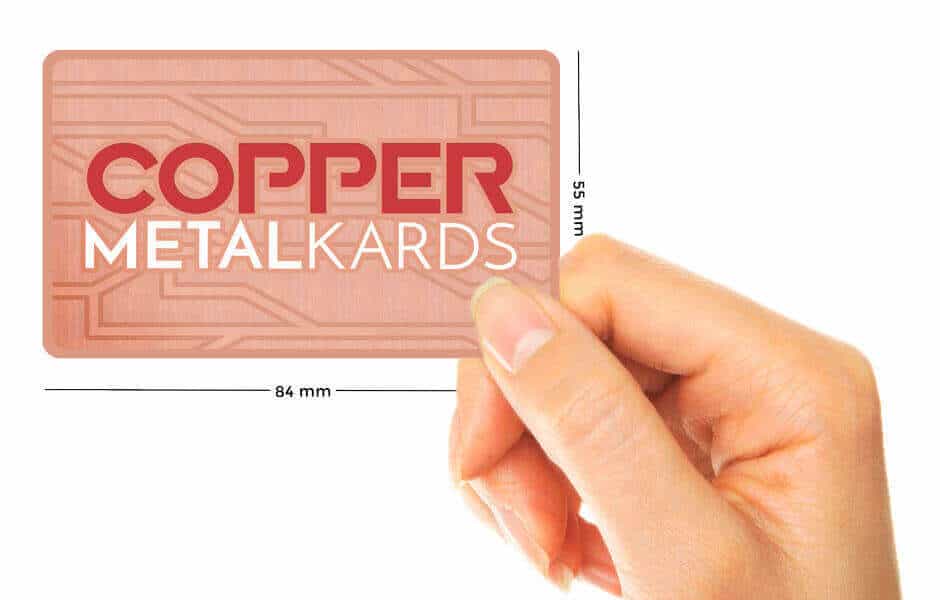
A real card reference; finish appearance varies with light and viewing angle.
From idea to order
Plan a copper card in three steps
01
Choose the look and feel
Compare Matte, Brushed and Polished Copper, then choose the weight. For heavier custom work, start with the card thickness guide.
02
Prepare the artwork
Bring vector artwork or add the paid Metal Card Design Package to create a card layout. Mark print and etched details clearly.
03
Review the specification
Check the finish, thickness, colors and both sides together before completing your copper card order.
Real copper card references
See the finish from different angles
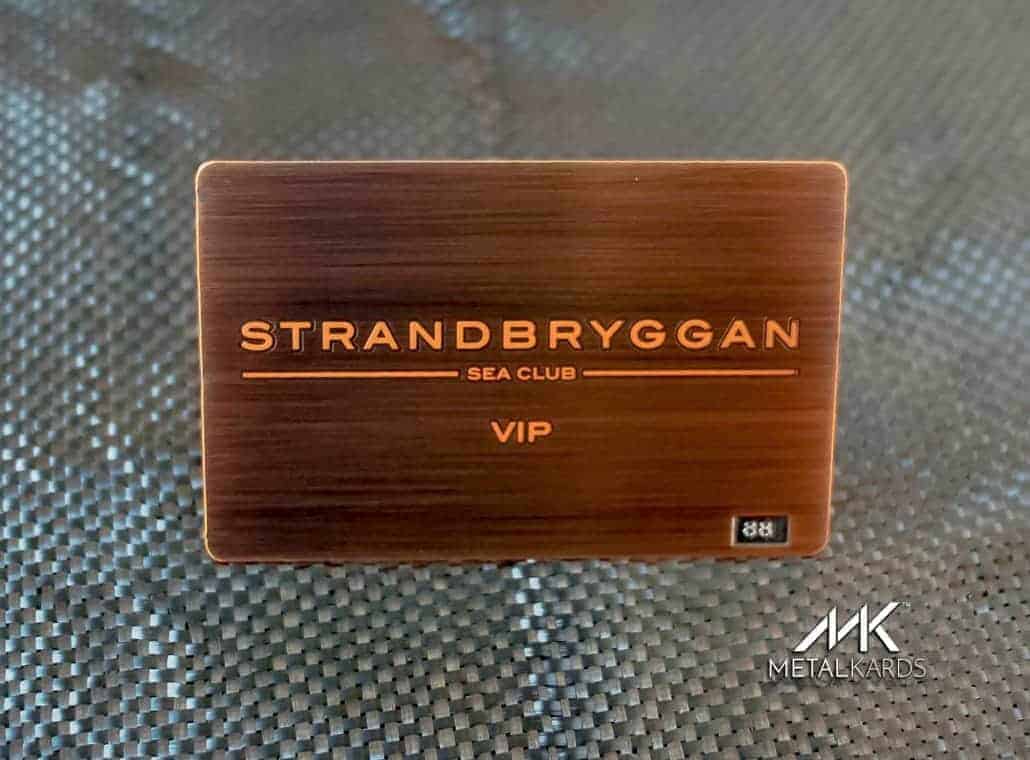
Brushed Copper surface reference.
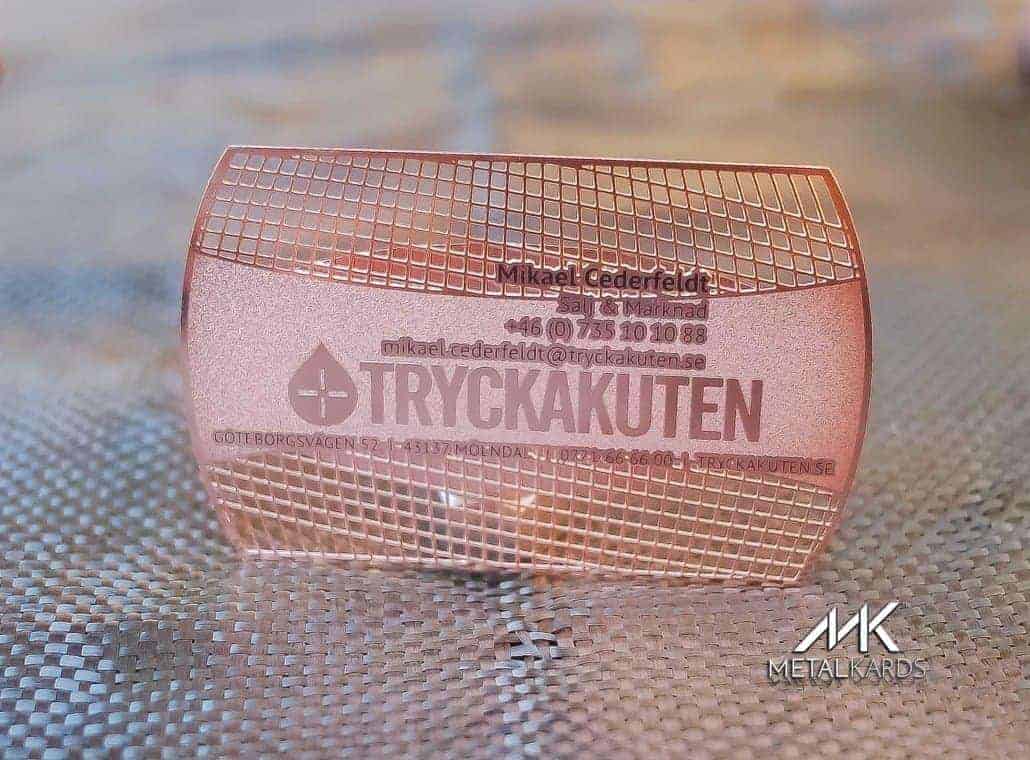
Copper color and card artwork in a product view.
Copper-finished steel with black lettering.
Copper card questions
What should you know before ordering?
Copper metal cards have a stainless steel base with a copper-plated finish. The material underneath is steel; the visible copper color is a surface finish. Reference photos show a warm, reddish tone, but lighting, viewing angle and screen settings can shift how it appears.
Matte Copper softens reflections, Brushed Copper adds a fine directional grain, and Polished Copper is smooth and mirror bright. Choose the surface for its relationship with your logo and lettering. On-screen images help compare the character; they are not calibrated finish samples.
0.3mm feels lighter, 0.5mm gives a middle ground, 0.7mm has a familiar Credit Card Thick presence, and 1.0mm adds more weight and a prominent edge. Compare the thickness guide, then review the current choices on the Copper order page before placing an order.
Copper is a warm mid-tone. Dark, saturated color and white can separate from it, while pale pink, peach and tan sit closer to the plate and may lose contrast. Check fine lines and the smallest contact details at card size, not only on a zoomed screen.
One printed color and standard etching are included. Specialty etching, additional colors, full-color printing and full-bleed printing are available as add-on options. Keep printed and etched areas clear in your artwork, then review the selected options and complete total on the order page.
The four-card sample kit is a practical way to handle examples before choosing a finish. Use the kit to judge physical color and feel, then return to the Copper order page to make your own selections. Online images are visual references, not exact color matches.
Bring your existing logo and artwork, or add the paid Metal Card Design Package to create a card layout with Luxury Kards. Clear notes about names, contact details and the areas intended for print or etching make it easier to review the design at actual card size.
Choose your copper finish
Put warm metal behind your mark
Compare the surface and thickness, then build the artwork around copper’s reddish tone. Order copper metal cards or handle samples before deciding.
Compare Copper with the other families in the metal card finishes guide, then review the artwork setup guide for printed and etched details.